

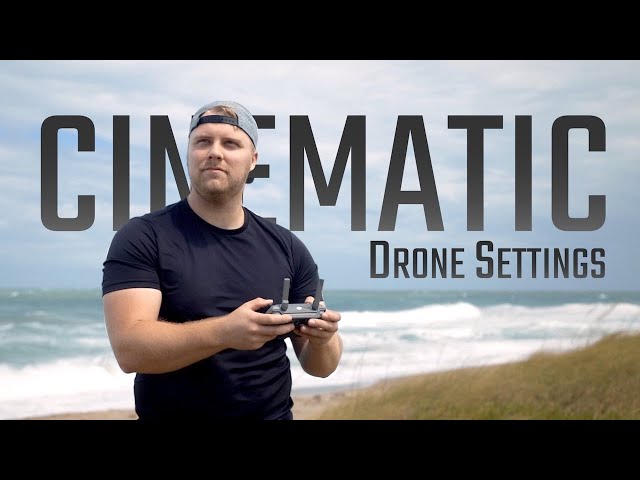
Cinematic Drone Camera Settings: Pro Guide for Hollywood-Quality Footage
Master your drone's camera to capture breathtaking cinematic sequences like a pro
Unlock the secret to stunning aerial footage that looks straight out of a movie. Whether you're filming landscapes, action sequences, or documentaries, these professional camera settings will transform your drone footage from amateur to cinematic masterpiece. Based on techniques used by top aerial cinematographers, this guide covers everything from exposure triangles to advanced color grading.
🎬 The Cinematic Exposure Triangle: Foundation of Great Footage
1. Frame Rate & Shutter Speed: The Motion Formula
• 24fps: The cinematic standard (film look)
• Shutter Speed Rule: Double your frame rate
• 24fps → 1/50s shutter
• 30fps → 1/60s shutter
• 60fps → 1/120s shutter (slow motion)
• Pro Tip: Use ND filters to maintain this ratio in bright light
2. Aperture (If Adjustable)
• Sweet Spot: f/2.8-f/4 (balanced sharpness and bokeh)
• Hyperfocal Distance: Set focus to ∞ + slight pullback for maximum sharpness
3. ISO: The Noise Control
• Base ISO: 100 (cleanest image)
• Max Threshold:
• Day: ISO 400
• Dusk/Dawn: ISO 800
• Night: ISO 1600+ (only with large sensors)
⚠️ Golden Rule: Always prioritize shutter speed > aperture > ISO
📸 Recommended Settings by Scenario
| Scenario | Resolution | Frame Rate | Shutter | Color Profile | ISO | ND Filter |
|---|---|---|---|---|---|---|
| Golden Hour | 4K DCI | 24fps | 1/50s | D-Log M | 100 | ND8/PL |
| Action Sports | 4K UHD | 60fps | 1/120s | HLG | 100-400 | ND16 |
| Real Estate | 5.4K | 30fps | 1/60s | Normal | 100 | ND4 |
| Weddings | 4K HDR | 24fps | 1/50s | D-Cinelike | 100 | ND8 |
| Night Cityscapes | 4K | 24fps | 1/25s | LOG | 800-1600 | None |
🎨 Color Science: Capture for Grading
1. Choose the Right Profile
• DJI Drones: D-Log M (10-bit color)
• Autel: LOG (best dynamic range)
• General: Flat Profile (-1 contrast, -1 sharpness, 0 saturation)
2. Histogram & Exposure Tools
• Zebra Stripes: Set to 70-80% for skin tones
• Waveform Monitor: Keep highlights below 90%
• False Color: Blue = underexposed, Red = clipped
3. White Balance Lock
• Never use Auto WB!
• Daylight: 5600K
• Golden Hour: 6500K
• Blue Hour: 4500K
✨ 5 Cinematic Movement Techniques
1. The Reveal: Fly backward while ascending (use POI mode)
2. Parallax Slide: Lateral movement past foreground objects
3. Orbit: Circular motion around subject (manual > auto)
4. Jib Up/Down: Vertical movement with horizon composition
5. Dolly Zoom: Forward/backward while zooming opposite (requires zoom lens)
🎥 Pro Tip: Slow movements! 1-2 m/s max speed for cinematic feel
🌅 Lighting Mastery: Time Your Shoots
• Golden Hour: 1hr after sunrise / before sunset
• Blue Hour: 20min before sunrise / after sunset
• Magic Windows:
• Mountains: Mid-morning for side lighting
• Water: Midday for reflections
• Cities: Twilight for city lights balance
🖥️ Post-Production Workflow
1. Color Grading Pipeline
• Apply LUT (DJI Official for D-Log)
• Adjust exposure with curves
• Balance shadows/midtones/highlights
• Add film grain (0.5-1% for digital cameras)
2. Essential Tools
• Free: DaVinci Resolve
• Paid: Premiere Pro + Color Finale
• LUT Packs:
• FilmConvert DJI Pack
• Phantom LUTs Cinematic Collection
3. Motion Techniques
• Speed ramping (100% → 25% speed transitions)
• Digital zoom for fake dolly zooms
• Warp Stabilizer for windy shots
📦 Essential Cinematic Gear
• ND Filters: PolarPro VND (2-5 stop)
• Drone Models:
• DJI Mavic 3 Cine (ProRes support)
• Autel Evo Lite+ (1-inch sensor)
• Monitor: 1000+ nit brightness for daylight
• Storage: CFexpress cards (min 150MB/s write speed)
💰 Budget Hack: Freewell Day/Night filter kit ($89) works for 80% of scenarios
❓ Cinematic Settings FAQ
Q: Why 24fps looks cinematic?
A: Matches film standard and creates natural motion blur (180° shutter rule).
Q: Best ND filter strength for noon sun?
A: ND32 (5-stop) for 1/50s at f/2.8, ISO 100.
Q: How to avoid flicker in videos?
A: Match shutter to local power frequency (1/100s for 60Hz regions).
Q: LOG vs Normal profile?
A: LOG preserves 2x more dynamic range but requires grading.
Q: Best settings for foggy conditions?
A: +1 exposure compensation, 5500K WB, lower contrast profile.
Ready to Film Like Nolan?
Master these settings and practice the golden rule: Shoot to grade, move with purpose, light with intention. Your next drone reel will stop scrolls and drop jaws.
📥 Free Download: Cinematic Settings Cheat Sheet
▶️ Watch Tutorial: 5 Cinematic Moves Masterclass
Settings tested on DJI, Autel, and Skydio drones. Always do test shots before critical shoots.
{{ commentCount }} Comments
Loading comments...
{{ comment.user.fullname }}
No comments yet. Be the first to comment!