
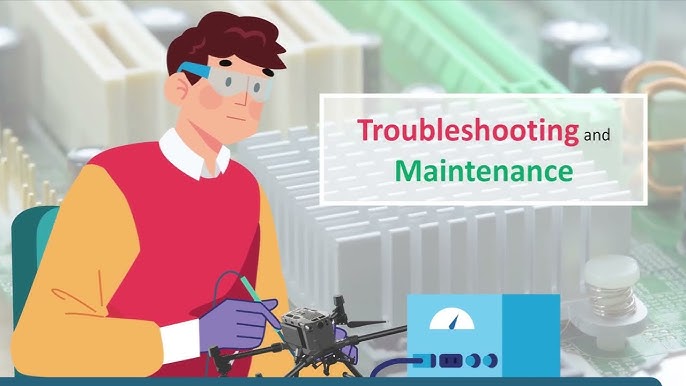
Ultimate Drone Troubleshooting Guide: Fix Common Drone Problems Fast
Nothing ruins a flying session faster than your drone malfunctioning. Whether you're a seasoned pilot or a beginner, encountering issues with your UAV is frustrating. This comprehensive drone troubleshooting guide provides step-by-step solutions to the most common problems, from connection issues and unstable flight to camera glitches and complete failure to take off. Learn how to diagnose and fix your drone quickly, saving you time, money, and unnecessary stress.
Before You Start: The Golden Rules of Troubleshooting
Before diving into specific problems, always follow these three golden rules:
1. Consult the Manual: Your drone's manual has model-specific solutions and error code explanations.
2. Check for Updates: Ensure your drone, remote controller, and app firmware are all updated to the latest versions. Bugs are often fixed in updates.
3. Restart Everything: Power down your drone, controller, and mobile app completely. Wait 30 seconds and restart them. This solves a surprising number of issues.
1. Connectivity & Pairing Problems
Problem: Drone Won't Connect to Controller
• Symptoms: The controller can't find the drone, shows "Disconnected," or fails to pair.
• Solutions:
• Re-pair/Re-link: Place the drone and controller close together and follow the manufacturer's specific pairing process (often involving a physical button on the drone).
• Check RC Mode: Ensure your remote controller is in the correct mode (e.g., Mode 2 is standard for most countries).
• USB Cable: If using a mobile device, try a different, high-quality data-sync cable. Not all USB cables can transfer data.
• App Permissions: Verify the drone app has all necessary permissions (Location, Storage, etc.) on your phone or tablet.
• Interference: Move away from sources of Wi-Fi or RF interference (power lines, cell towers).
Problem: Weak or Unstable Video Signal (FPV Feed)
• Symptoms: The live video feed is choppy, lags, cuts out, or is pixelated.
• Solutions:
• Antenna Orientation: Ensure the controller's antennas are angled correctly, not pointing directly at the drone. The flat side should face the drone.
• Clear Line of Sight: Obstacles like trees and buildings significantly degrade signal. Always maintain a clear visual line of sight.
• Check Transmission Channel: Use auto-selection for the best channel, or manually select a less crowded channel in your app's settings.
• Power Source: If your mobile device has a low battery, it can prioritize power saving over the video feed. Keep it charged.
2. Flight & Navigation Issues
Problem: Drone Won't Take Off
• Symptoms: The motors won't spin up, or the drone refuses to lift off the ground.
• Solutions:
• Propeller Installation: Check if props are cracked, damaged, or installed on the wrong motors. They are usually marked A/B or with colored rings.
• Calibration Required: The app may be prompting for an IMU or compass calibration. Complete these steps on a flat, open surface.
• Battery Level: The battery may be too low or damaged to provide enough power for takeoff. Try a different, fully charged battery.
• Internal Sensors: Ensure all protective films or covers are removed from the drone's vision sensors and landing gear.
Problem: Unstable or Erratic Flight (Drifting, Toilet Bowling)
• Symptoms: The drone doesn't hover steadily, drifts in one direction, or spins in circles ("toilet bowling").
• Solutions:
• Compass Calibration: This is the most common fix. Recalibrate your drone's compass in an open area, away from metal and magnetic interference.
• IMU Calibration: Calibrate the Inertial Measurement Unit on a perfectly level surface.
• GPS Lock: Wait for the drone to acquire more GPS satellites (usually 10+ for a strong lock) before taking off. Check your app's satellite indicator.
• Check for Wind: High winds can cause unstable flight. Fly in calmer conditions.
Problem: "GPS Module Error" or No GPS Signal
• Symptoms: The app warns of a GPS error, or the drone won't enter GPS mode, leading to unstable hover.
• Solutions:
• Relocate: Move to an open area away from tall buildings, bridges, and dense trees.
• Wait: Sometimes it just takes longer to acquire a signal. Be patient.
• Check Hardware: Inspect the drone for any visible damage to the GPS module (usually a small, flat square on the top shell).
3. Camera & Gimbal Problems
Symptoms: Footage is consistently soft, blurry, or out of focus.
• Solutions:
• Clean the Lens: Use a microfiber cloth to gently wipe the camera lens. Fingerprints are a common cause of blur.
• Manual Focus: Some drone cameras allow you to tap the screen to focus or switch to manual focus. Ensure it's focused on the correct subject.
• Remove Protective Cover: Double-check that the plastic protective lens cover has been removed.
Problem: Shaky or Jittery Video
• Symptoms: Video is not smooth; it has high-frequency jitters or shakes.
• Solutions:
• Gimbal Calibration: Perform a gimbal auto-calibration through the app.
• Check Gimbal Mount: Ensure the gimbal and its vibration-dampening balls are properly seated and free of damage or obstructions.
• Propeller Balance: Damaged or unbalanced propellers cause vibrations that the gimbal can't fully compensate for. Replace damaged props.
Problem: SD Card Errors
• Symptoms: "SD Card Error," "Cannot Record," or "Card Full" messages.
• Solutions:
• Reformat the Card: Format the SD card in the drone via the app settings. This is the most effective solution.
• Card Compatibility: Use a high-speed microSD card (U3 or V30 rating is recommended).
• Test Another Card: Try a different, known-good card to rule out a faulty SD card.
4. Battery & Power Issues
Problem: Rapid Battery Drain
• Symptoms: Battery life is significantly shorter than usual.
• Solutions:
• Cold Weather: Batteries discharge faster in cold conditions. Keep them warm before flight (e.g., in an inside pocket).
• Aging Battery: Batteries have a limited lifespan. If it's old and has many cycles, it may simply need replacing.
• Flying Style: Aggressive flying (high speed, sport mode) consumes power much faster.
Problem: Drone Not Powering On
• Symptoms: Pressing the battery button shows no lights; the drone doesn't respond.
• Solutions:
• Check Charge Level: The battery may be completely drained. Charge it fully and try again.
• Battery-Seat Connection: Ensure the battery is clicked firmly into place.
• Try Another Battery: If available, try a different battery to isolate the problem to the battery or the drone itself.
When to Contact Support
If you've tried all relevant troubleshooting steps and the problem persists, it's time to contact the manufacturer's support. This is especially true for:
• Physical damage after a crash (broken arms, motors, gimbals).
• Consistent hardware errors that won't clear.
• Battery swelling or failure to charge (stop using it immediately!).
Be ready to provide your drone's serial number, flight logs, and a detailed description of the issue and the steps you've already taken.
Conclusion: Fly with Confidence
Most drone issues have simple solutions. By methodically working through this drone troubleshooting guide, you can resolve the vast majority of common problems yourself. Remember, regular maintenance, careful pre-flight checks, and keeping your firmware updated are the best ways to prevent issues from happening in the first place.
Found this guide helpful? Share your own troubleshooting tips in the comments and subscribe to our newsletter for more expert drone advice!


{{ commentCount }} Comments