
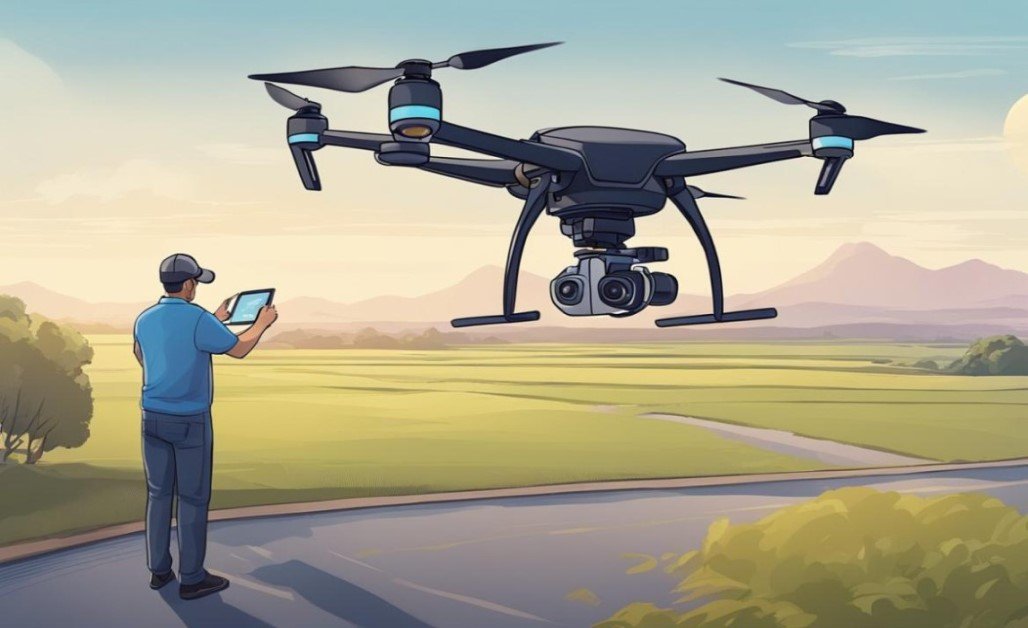
Getting Started with Drones: The Complete Beginner's Guide (2025)
So you're ready to enter the exciting world of drones? Whether you're interested in aerial photography, recreational flying, or exploring commercial applications, drones offer incredible opportunities for creativity and utility. But where exactly do you begin? This comprehensive guide will walk you through every essential step—from choosing your first drone to mastering basic flight skills while staying compliant with regulations.
What Are Drones, and How Do They Work?
A drone (officially called an Unmanned Aerial Vehicle or UAV) is a remotely controlled flying device that can be operated manually or autonomously. Most consumer drones come equipped with:
• Built-in cameras for aerial photography and videography
• GPS navigation systems for stable flight
• Propellers (usually 4-6) for lift and maneuverability
• Battery power (typically lasting 20-30 minutes per charge)
• Remote controllers or smartphone apps for operation
Modern drones range from compact, affordable models under $200 to professional-grade systems costing thousands, making them accessible to beginners and experts alike.
Step 1: Choosing Your First Drone
Selecting the right drone is critical for a positive learning experience. As a beginner, prioritize these features:
Best Drone Options for Beginners (2025)
• Entry-Level (300):
• DJI Mini 2 SE: Lightweight (under 249g), foldable design, and beginner-friendly modes
• Ryze Tello: Affordable, compact, and perfect for learning basic controls
• Holy Stone HS720: Good camera quality and long battery life for the price
• Mid-Range (800):
• DJI Air 3: Excellent 4K camera, obstacle avoidance, and longer flight time
• Autel Evo Lite+: Great low-light performance and portability
• Parrot Anafi: Unique 180° tilt camera and compact design
Key Tip: Avoid ultra-cheap toy drones without GPS—they're difficult to control and often lack essential safety features like Return to Home.
Step 2: Essential Terms Every New Drone Pilot Should Know
Before your first flight, familiarize yourself with these key concepts:
• GPS Mode: Uses satellite positioning to keep the drone stable and in position—ideal for beginners
• Attitude Mode: No GPS assistance—much harder to control, best avoided when starting
• Return to Home (RTH): Automatically brings the drone back to its takeoff point
• Geofencing: Software restrictions preventing flight in sensitive areas
• Altitude Hold: Maintains consistent height without constant controller input
• Brushless Motors: More efficient, durable, and quieter than brushed motors
Step 3: Pre-Flight Preparation
Proper preparation prevents crashes and frustration. Follow these steps before every flight:
Check the Weather: Avoid flying in wind speeds over 10 mph, rain, fog, or strong sunlight that causes glare
Inspect Your Drone: Check for damaged propellers, loose parts, and ensure batteries are fully charged
Charge Batteries: Most beginner drones take 60-90 minutes to charge fully—always carry spares
Find a Suitable Location: Choose an open area away from:
• People, animals, and property
• Power lines, trees, and buildings
• Airports and restricted airspace
5. Download Necessary Apps: Most drones require manufacturer apps (DJI Fly, Autel Sky app) for setup and flight data
Step 4: Your First Flight: Step-by-Step
Follow this sequence to ensure a successful first flight:
Power On Correctly: Turn on the remote controller first, then the drone
Calibrate if Needed: Follow app instructions for compass calibration (usually involves rotating the drone in specific patterns)
Enable Beginner Mode: Most drones offer a mode that limits altitude and speed
Practice Hovering:
• Use the left joystick to take off gently (push up slowly)
• Hover at waist height, focusing on keeping the drone steady
• Practice landing and taking off again before moving forward
Master Basic Movements:• Use the right joystick for forward/backward and left/right movement
• Keep movements small and controlled
• Practice turning slowly using the left joystick
Return and Land:• Use the dedicated RTH button or manually fly back
• Descend slowly and stop 1-2 feet above the ground before landing completely
Step 5: Understanding Drone Laws and Regulations
Legal requirements vary by country, but here are the key rules for major regions:
United States
• Register drones over 0.55 lbs (250g) with the FAA
• Fly below 400 feet
• Keep the drone within visual line of sight
• No flying near airports without permission
• Commercial operators need a Part 107 certificate
European Union
• Register all drones over 250g
• Follow EASA regulations: max altitude 120m (394ft)
• No flying over crowds or sensitive areas
• Pass an online test for drones over 2kg
Global Tips
• Check local apps like AirMap or DroneDeploy for no-fly zones
• Respect privacy laws—avoid filming people without permission
• Some national parks and wildlife areas prohibit drone flight entirely
Common Mistakes to Avoid
• Flying Too Far Too Soon: Stay close until you're comfortable with controls
• Ignoring Battery Warnings: Land immediately when low battery alerts appear
• Flying in Poor Conditions: Wind and weather cause most beginner crashes
• Neglecting Pre-Flight Checks: Damaged propellers are a leading cause of accidents
• Overcomplicating Early Flights: Master basics before attempting tricks or advanced maneuvers
Frequently Asked Questions
Q: How long does it take to learn to fly a drone?
A: Most beginners master basic controls within 2-3 sessions, but proficiency takes regular practice.
Q: Do I need a license to fly a drone recreationally?
A: In most countries, recreational flyers don't need a license but must follow registration and operational rules.
Q: Can I fly my drone at night?
A: Some drones are night-rated, but many regions require special permission and anti-collision lighting.
Q: How can I improve my drone photography skills?
A: Start with automatic modes, practice composition, and gradually experiment with manual settings. Check our drone photography tips guide for more details.
Ready to Begin Your Drone Journey?
Learning to fly a drone is an exciting skill that combines technology, creativity, and outdoor activity. Start with a quality beginner model, practice regularly in safe locations, and always prioritize safety and compliance.
Want more information? Explore our guides to best drones 2025 and drone maintenance tips to continue your learning journey.


{{ commentCount }} Comments