
Stop guessing and start fixing – a systematic approach to diagnosing and resolving VESC issues
The VESC platform offers incredible flexibility, but with that power comes occasional complexity. Whether your motor won't start, you see red blinking LEDs, or VESC Tool refuses to connect, this guide covers the most common VESC faults and their proven fixes.
📄 Free download: VESC Fault Code Cheat Sheet (PDF) — one printable page with every fault code, the top 5 fixes, a prevention checklist and bench-safety rules. Print it and tape it to your workbench. No email required.
Step 1: Read the Fault Code
Every VESC troubleshooting session begins the same way: check what the controller is telling you.
•Connect via USB/BLE/CAN in VESC Tool
•Go to Terminal → type
faultsand press Send•Or navigate: VESC DEV Tool → Diagnostics
The blinking LED pattern also corresponds to fault codes – count the flashes.
| Code | Fault | Meaning |
| 1 | OVER_VOLTAGE | Battery voltage too high |
| 2 | UNDER_VOLTAGE | Battery voltage too low |
| 3 | DRV | Gate driver chip failure (DRV8302) |
| 4 | ABS_OVER_CURRENT | Instantaneous current exceeded limit |
| 5 | OVER_TEMP_FET | MOSFETs overheating |
| 6 | OVER_TEMP_MOTOR | Motor too hot |
| 7 | GATE_DRIVER_OVER_VOLTAGE | DRV supply overvoltage |
| 8 | GATE_DRIVER_UNDER_VOLTAGE | DRV undervoltage |
| 9 | MCU_UNDER_VOLTAGE | MCU logic supply dropped too low |
| 10 | BOOTING_FROM_WATCHDOG_RESET | Booted from a watchdog reset, not a clean power-on |
| 11 | ENCODER_SPI | SPI encoder signal loss |
| 12 | ENCODER_SINCOS_BELOW_MIN_AMPLITUDE | Sin/cos encoder signal too weak |
| 13 | ENCODER_SINCOS_ABOVE_MAX_AMPLITUDE | Sin/cos encoder signal too strong |
| 14 | FLASH_CORRUPTION | Firmware/config corrupted |
The canonical fault-code enumerations live in the firmware source (commands.c) of Benjamin Vedder's open-source VESC firmware; the VESC Project site is the upstream reference for firmware releases and tool documentation.
Code 1 (OVER_VOLTAGE)? A fully charged pack plus regenerative overshoot can exceed the silicon rating in milliseconds. See our teardown on VESC overvoltage damage.
Code 4 (ABS_OVER_CURRENT)? Remember that phase current and battery current are not the same thing at low RPM — read the battery current vs phase current conversion before you resize anything.
Top 5 Most Common VESC Faults & Fixes
1. FAULT_CODE_DRV (Code 3)
Symptoms: Motor suddenly stops under load, fault appears every time you apply throttle, red LED flashes.
Root Causes:
•Aggressive bench testing with rapid start/stop cycles
•Regenerative braking with battery disconnected (energy has nowhere to go)
•High switching frequency + FOC mode stress on DRV8302
•Occasional defective chip
Fixes:
•Software: Reduce switching frequency to 20-25kHz, lower motor current max, increase ramp time to 2+ seconds
•Hardware: DRV8302 chip needs replacement ($5-6 part) – requires hot-air reflow or professional repair
•Prevention: Always use a current-limited power supply for bench tests; never brake with battery disconnected
Many VESC 4.x and some 6.x boards use this chip. If fault persists after lowering settings, the DRV8302 is likely fried.
Why ChatRobotic controllers don't throw FAULT_CODE_DRV
The DRV8302 failure mode above is specific to boards that drive their MOSFETs through an integrated gate-driver IC. ChatRobotic's TRONIC and SEVEN series instead use a DRV-less architecture — a discrete gate-drive design derived from EV industry practice — which removes the gate-driver IC from the design entirely. There is no DRV8302 on the board, so there is no DRV8302 to fail.
If you are replacing a controller specifically because of recurring Code 3 faults, moving to a DRV-less VESC eliminates this failure mode at the hardware level rather than working around it in firmware.
2. Motor Detection Fails (Often Code 4)
Symptoms: Detection wizard stutters, motor makes grinding noise, then fails with ABS_OVER_CURRENT.
Fixes:
•Lower detection current – temporarily set motor current max to 10-20A before running detection
•Use Experiment duty sweep – Motor Settings → Experiments → Duty Sweep. If this works, manually enter motor parameters (resistance, inductance, flux linkage)
•Check phase/hall wiring – misordered wires cause detection to fail
•Try different motor – some extremely low-inductance motors confuse auto-detection
For the full parameter workflow, see Mastering VESC Tool: firmware & FOC tuning.
3. VESC Tool Won't Connect
Symptoms: No device detected, timeout errors, or connection drops immediately.
Fixes:
•Check power: VESC needs at least 8V on the input to power the logic (USB alone is not enough unless the board has a separate 5V regulator)
•USB drivers: Install STM32 VCP drivers (Windows) or ensure proper permissions (Linux/macOS)
•Try different cable – many micro-USB cables are power-only
•Bootloader mode: Hold the button on the VESC while connecting, then reflash firmware
•Check CAN/UART wiring if using those interfaces
Powering a controller up for the first time? Use a current-limited bench supply or an anti-spark pre-charge path — our 72V inrush current and safe testing guide covers the setup.
4. Over-Temperature (Code 5 or 6)
Symptoms: Performance throttles after a few minutes, then fault appears. Controller is hot to touch.
Fixes:
•Add cooling: Heatsink, fan, or better enclosure airflow
•Reduce current limits: Lower motor and battery current maximums
•Check mounting: Is the controller thermally coupled to a heat-spreading surface?
•For Code 6: Your motor is overheating – reduce load or add motor heatsink/fan
Note that factory continuous-current ratings assume adequate cooling. On ChatRobotic hardware that means direct chassis conduction or a liquid cold plate; in a sealed deck without airflow you must de-rate substantially.
5. Inconsistent Throttle / Stuttering
Symptoms: Motor jerks, hesitates, or loses sync at certain RPMs. Works fine at low speed but stutters at high speed.
Fixes:
•Run sensor detection – if using hall sensors, ensure they are properly calibrated (Motor Settings → Sensors → Detect)
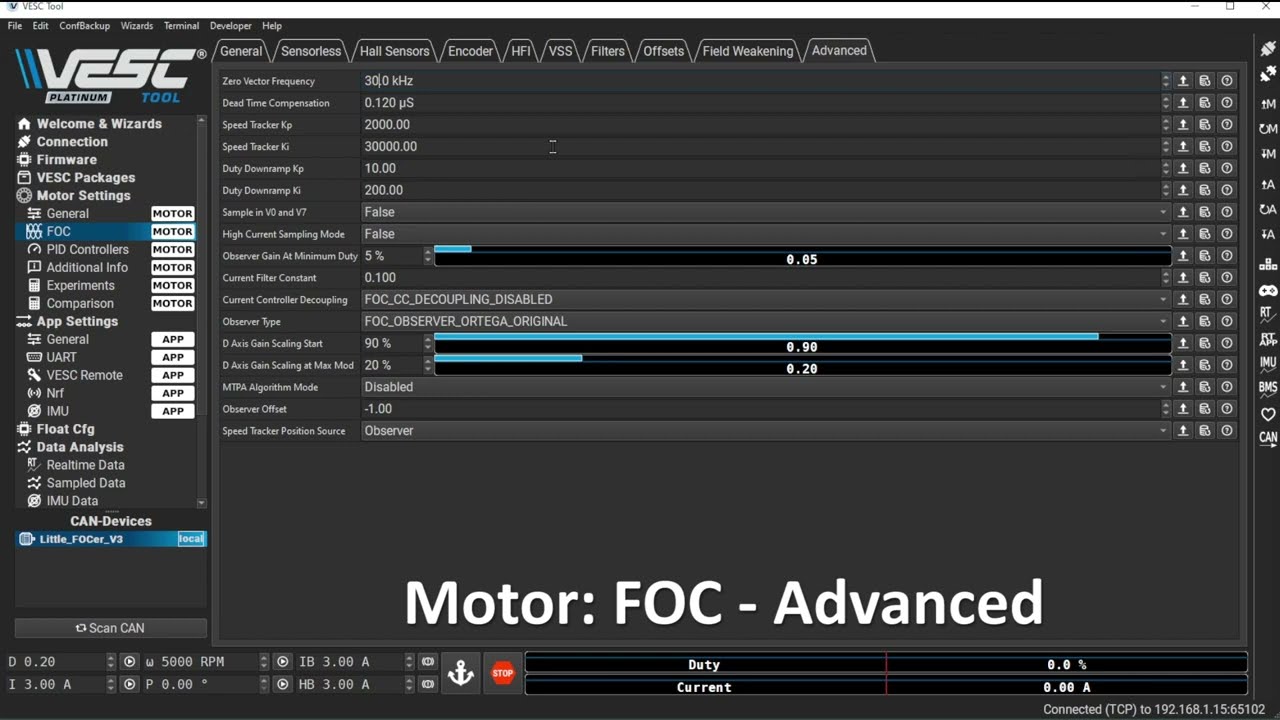
•Increase observer gain – for sensorless FOC, increase observer gain slightly (but not above 1.0)
•Check phase wire connections – loose bullet connectors cause intermittent issues
•Lower switching frequency – reduce to 20kHz if running high ERPM
Advanced Diagnostics: VESC Tool Hidden Features
Beyond basic faults, these tools can save hours of frustration:
•Real-time plotter: View current, RPM, temperature, and duty cycle simultaneously. Set trigger conditions to capture moments before fault occurs.
•ADC mapping: Verify your throttle input is clean (0.0 to 3.3V). Use the ADC calibration wizard if values jump.
•Motor tab → Low-side current test: Checks current sensing circuitry. Unbalanced values (>10% difference between phases) indicate a hardware problem.
•Flash firmware from local file: If auto-update fails, download the appropriate .bin file and manually flash via bootloader mode.
Additional Fault Codes Worth Knowing
•Code 7 / 8 – GATE_DRIVER_OVER_VOLTAGE / UNDER_VOLTAGE: The gate-driver supply rail is out of range. Check the DRV supply capacitor, look for a lifted or cold solder joint on the driver IC, and confirm the board is not being fed a pack voltage above its rating.
•Code 9 – MCU_UNDER_VOLTAGE: The logic/MCU supply rail dropped below its threshold. Check the logic regulator and its capacitor, and look for a sagging supply under load. Not the same as Code 2, which is the battery being too low.
•Code 10 – BOOTING_FROM_WATCHDOG_RESET: The controller rebooted from a watchdog reset rather than a clean power cycle. Usually a symptom of noise, a marginal supply, or firmware instability — check the log, then re-flash if it repeats.
•Code 11 – ENCODER_SPI: SPI encoder signal lost. Inspect the encoder connector and cabling and confirm the SPI encoder is wired and enabled in the sensor configuration.
•Code 12 / 13 – ENCODER_SINCOS_BELOW/ABOVE_AMPLITUDE: Sin/cos encoder signal amplitude out of range (too weak or too strong). Usually a wiring, shielding or magnet-gap problem rather than a dead encoder.
•Code 18 – UNBALANCED_CURRENTS: The three phase-current readings disagree beyond tolerance. Verify with the low-side current test; persistent imbalance points to a current-sense or power-stage fault.
Preventing Future Faults
| Practice | Why it works |
| Use a current-limited power supply for bench tests | Prevents ABS_OVER_CURRENT during motor detection |
| Keep switching frequency ≤25kHz for most builds | Reduces DRV8302 stress and MOSFET switching losses |
| Add thermal paste between controller and heatsink | Lowers operating temperature by 10-20°C |
| Set battery current max 20% below hardware rating | Safety margin prevents overheating |
| Update firmware only after reading release notes | Some updates change parameter behavior |
| Secure all phase and sensor connections | Loose wires cause intermittent faults |
Sizing a replacement rather than repairing? Start with the complete 2026 VESC buyer's guide.
VESC Troubleshooting FAQ
Q: My VESC powers on but motor doesn't spin – what now? A: First, check that you have a valid throttle input (ADC values change in the Real-time Data tab). Then run motor detection again – settings may have been erased.
Q: Can I fix a FAULT_CODE_DRV myself? A: If you're skilled with hot-air rework, yes – replace the DRV8302 chip. Otherwise, many online repair services offer DRV replacement for $30-50. Note that a DRV-less controller removes this failure mode entirely, so it may be worth putting that repair budget toward a replacement instead.
Q: Why does my VESC overheat even at low current? A: Check your switching frequency. Too high = excessive MOSFET heating. Also verify that your PWM mode is set to "Synchronous" (not "Asynchronous").
Q: VESC Tool shows "Motor not detected" after a crash – any hope? A: Likely a loose connection. Check phase wires, hall sensor connector, and motor cable. If detection still fails, try another motor to isolate the issue.
Q: My fault code isn't listed above – where can I find it? A: The full fault-code list is defined in the firmware source (commands.c) of Benjamin Vedder's bldc firmware. The VESC Project forum is also an excellent resource for codes that are new or build-specific. For a printable version of the table above, grab the VESC Fault Code Cheat Sheet (PDF).
Q: Why does my VESC cut out only at full throttle? A: Almost always a voltage-sag or connection problem rather than a controller fault. Under full throttle the pack sags and the controller hits UNDER_VOLTAGE, or a marginal connector/bullet heats up and drops voltage. Measure pack voltage at the controller terminals under load, not at the battery, and check that phase connectors are not warm after a run.
Q: What does a blinking red LED mean? A: The flash count maps to the fault code in the table above — count the flashes between pauses and match it against the code list. If the LED pattern and the VESC Tool reading disagree, trust VESC Tool; LED decoding varies slightly between firmware builds.
Q: Can a bad phase wire cause ABS_OVER_CURRENT? A: Yes. An intermittent or high-resistance phase connection makes the current controller chase a load that keeps changing, which can spike phase current past the limit. Re-seat or re-crimp the phase connectors before assuming the power stage is damaged.
When to Repair vs. Replace
If troubleshooting points to a hardware failure:
•Replace DRV8302 chip – worthwhile for high-end controllers ($50+ in value)
•Replace blown MOSFETs – possible if you have SMD soldering skills, but matching exact part numbers is critical
•Buy a new VESC – if the board has multiple failed components or visible burn damage
If you are buying, match the replacement to your pack and phase-current demand:
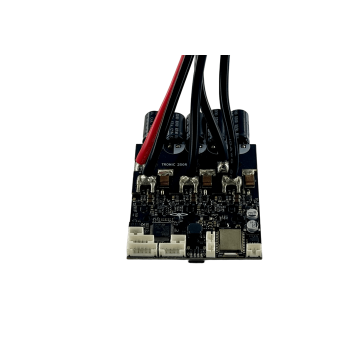
•TRONIC 250R 125V (27S) 300A – DRV-less entry point for e-bikes, scooters and light robotics
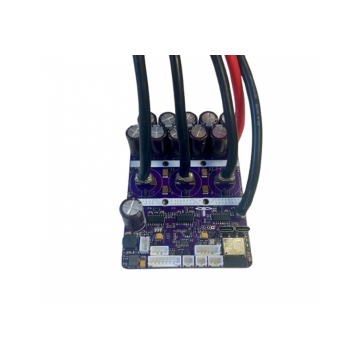
•TRONIC X12 PRO 120V (26S) 662A – compact high-burst stage for dual-motor eskate and EUC
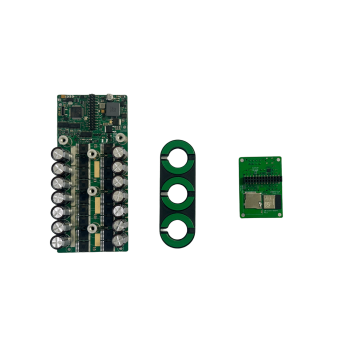
•SEVEN 18 120V (26S) 993A – maximum peak current in a compact chassis
•SEVEN 30 120V (26S) 1655A – extreme-duty traction for e-motorcycle and industrial drives
Still deciding between them? See SEVEN 18 vs TRONIC X12 PRO vs TRONIC 250R.
Sources: ChatRobotic hardware documentation and factory specification sheets (accessed September 2026); fault-code definitions from the bldc firmware source and VESC Project.
Related Technical Reading & Build Guides
•VESC Controller: The Complete 2026 Buyer's Guide (26S/32S, 210A–2376A)
•SEVEN 18 VESC Review — 120V (26S) 993A / 150V (32S) 792A Specs & Build Guide
•SEVEN 18 vs TRONIC X12 PRO vs TRONIC 250R — VESC Buyer's Guide
•Best VESC Controller by Application: Onewheel, Robotics, Ebike & More
Need Custom High-Power Powertrain Engineering? Explore the complete ChatRobotic VESC Motor Controllers Catalog or contact our power electronics team directly for custom 26S–32S+ power stages, CAD/STEP models, and volume OEM/ODM manufacturing: Contact ChatRobotic Engineering


{{ commentCount }} Comments